The digital business card for contractors and tradespeople
A contractor business card with the quote button, the recent-jobs gallery and your license number on it, shared from the van by QR code, NFC tap or text. Customers save you at the door and send the job details before you've reached the next one.
Four moments a paper card gets left in the truck
Trades run on referrals and callbacks. These are the handoffs where the paper card quietly costs you the job.
Tap your NFC card or show the QR. The homeowner saves you, sees the recent jobs and the license, and has the quote form when the spouse gets home.
A QR magnet on the door and a code on the job-site sign. Neighbours who like what they see scan it from the pavement.
The plumber texts your card to the customer who needs an electrician. Your gallery and reviews close the job before you've called back.
New number, new van, a partner joins, a new service. Change the card once; every magnet, invoice and saved contact shows it.
What a tradesperson's business card should include
The must-haves get you called. The rest gets you chosen.
Must-haves
- Your name and the business name, with the logo that's on the van.
- The trade and the area you cover, so the wrong-town calls stop.
- Call and text buttons, because half your customers won't ring a stranger.
- A "Get a quote" button, wired to your form, booking tool or WhatsApp.
- License and insurance details where your regulator requires them on marketing.
- A list of services, short enough to read on a phone at the door.
Worth adding
- A recent-jobs gallery with a one-line caption each. Galleries and custom design.
- A walk-through video of a finished project. Video business cards.
- Your reviews profile, so the card carries your reputation as well as your number.
- Emergency line hours, so a burst pipe at 2am knows whether to call.
- Contact capture, so the customer leaves the job details in return. How contact capture works.
- A financing or supplier link for the jobs that need one.
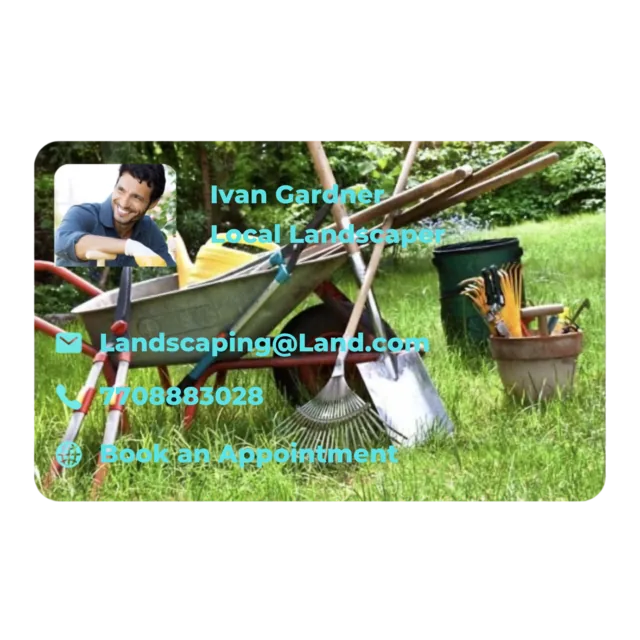
See a landscaping card in action
One card, shaped to your trade
Same app, a different layout per trade. The quote button, gallery and instant updates stay the same.
Landscaping and lawn care
A landscaping business card led by the before-and-after gallery and a seasonal services list, with the quote button for the spring rush.
Construction and general contractors
A construction business card with the license, the project gallery, a video walk-through and a "request a bid" button that reaches the estimator.
Handyman services
A handyman business card with the service list front and center, call and text buttons, and the card link on every invoice for the next job.
Electricians
An electrician business card with the license number, the EV-charger and panel-upgrade gallery, and the emergency line hours.
Plumbing and HVAC
A plumber or HVAC business card with the 24-hour line, maintenance-plan link and a "book a service" button that fills the shoulder season.
Roofing and exteriors
A roofing business card with drone photos of finished roofs, the warranty page and a "free inspection" button, scanned from the yard sign.
What the card does that paper never could
The quote request on the card
A "Get a quote" button and a capture form, so the customer sends the job details instead of leaving a voicemail you return from a ladder. Contact capture
Recent jobs, on the card
A gallery and a walk-through video of finished work travel with your number. The neighbour who scanned the van sees the proof first. Video business cards
License and reviews up front
The license number, the insurance line and your review profile sit right under your name, which is the first thing a careful homeowner checks. What a digital business card can hold
Share from the van
QR magnet on the door, NFC card in the wallet, link in the text and on the invoice. Same live card every way. QR code cards · NFC cards
Update from the job site
New service, new number, new partner. Change it in the app between jobs and every magnet and invoice code opens the new card. How it works
A card for every crew lead
Same company design, each lead's own name and number. When a crew changes, the cards change from one place. Team plans
On the van before the next job
Three steps, and the print shop isn't one of them.
Create your card
Sign up in the browser or download the app, add your name, the business, the trade, your number and the license details. About five minutes in the cab.
Make it yours
Match the logo on the van, add the recent-jobs gallery and the quote button, and turn on contact capture so customers send the job details.
Put it on the van
Print the QR as a magnet, add the code to invoices and estimates, keep an NFC card in the wallet. It's all the same live card.
Contractor business card ideas paper can't do
Field-tested, in order of effort. The first three take an evening.
A QR magnet on the van door
Every parked job is an ad. Neighbours scan it from the pavement, see the gallery and send a quote request without knocking.
"Get a quote" instead of "call me"
A form that asks for the address, a photo and a good time to call. You return one message with a number in it, not four with questions.
The card's QR on every invoice
The customer who paid you keeps a way to rebook and refer you, on the one piece of paper they file.
A before-and-after gallery that grows every week
Twelve jobs with the town name in the caption. It does more than "quality workmanship" ever did, and it never needs reprinting.
Emergency hours right under your name
"Emergencies until 10pm, seven days" saves the 2am caller a decision and saves you the calls you don't take.
One card per crew lead
Same company card, each lead's own number, each with its own QR on their van. Leads captured in one place.
Why the paper card keeps costing you jobs
Same handshake, very different result once the door closes.
Ordering printed landscaping or construction business cards? Put the QR code on them.
Plenty of customers still want something in the hand. Add your eBiz card's QR code to the print run and the paper card opens the live one: gallery, quote button and license, updated for as long as the box lasts.
How QR code business cards work · Free QR code generator · Step-by-step guide
Contractor digital business cards, answered
What should a contractor's business card include?
Your name and business name, the trade and the area you cover, a phone and a text button, a quote request button, your license and insurance details where your state or country requires them on marketing, and a list of services. On a digital card you can add a gallery of recent jobs, a short video, your reviews and the emergency line hours.
What is the best business card for a construction company?
The one that turns into a quote request. A digital card with a "Get a quote" button, photos of finished jobs, the license number and your reviews does the convincing on the doorstep, and it updates when you add a crew or a service. A paper card can only carry a number.
How do customers request a quote from my card?
Add your quote form or booking link as a button, and turn on contact capture so a customer who opens the card can leave their name, number and a note. It lands in your eBiz contacts with a follow-up reminder, instead of a voicemail you return from the roof.
Does the customer need to download an app?
No. Only you use the eBiz app. The customer scans the QR on the van or opens the link in a text, sees the card in their browser and saves your number in a tap.
Can I show photos of recent jobs?
Yes. Build a gallery on the card, add a walk-through video of a finished project, and swap them as the work changes. Everyone who already has your card sees the latest jobs.
Do I need to reprint when my number or business name changes?
No. Change it once in the app. Every card you have shared, every QR magnet on the van and every invoice with the code on it opens the updated card.
Is a digital business card for contractors free?
Yes. One card with unlimited sharing is free. Paid plans add galleries, video, social icons and full custom design, and a company can run a card for every crew lead on one account.
Does it work outside the United States?
Yes. The card is a web page, so it opens on any phone in any country, with your own license format, number format and service area.
Also built for the way you work
Your next referral is one scan away
Create one card free with unlimited sharing. Paid plans add galleries, video, social icons and full custom design.