DIGITAL BUSINESS CARDS

The Free Digital Business Card With Video, Photos & Custom Design

One card that holds everything a paper card can't — your video, your links, your booking calendar — shared in a tap by QR code, NFC or link. Update it any time and every card you've already shared updates with it.

Free to startiOS, Android & webNo app to receive
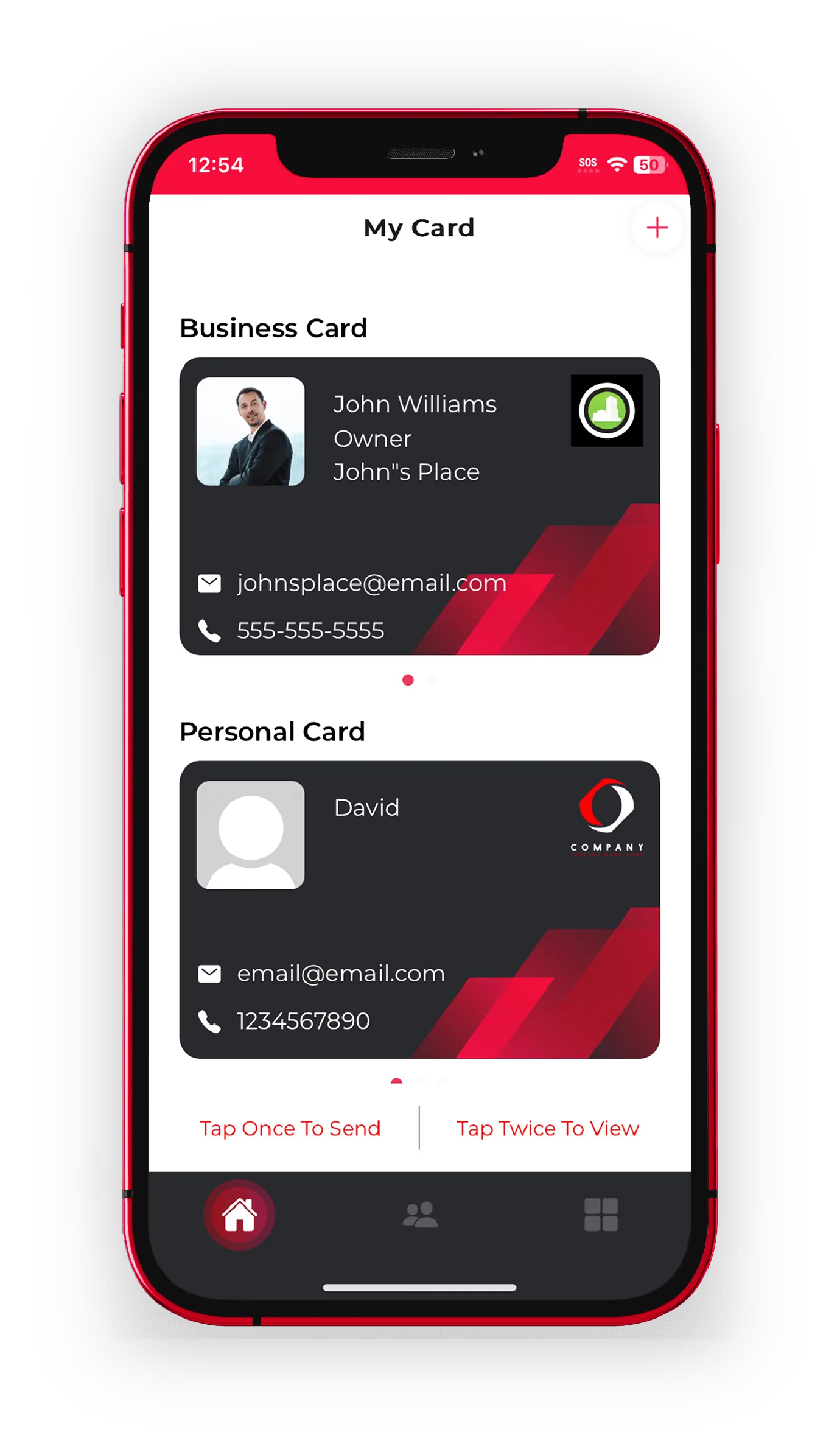
A digital business card on a phone showing photo, links and video
Tap to shareQR · NFC · link
Always currentedit once, everywhere
HomeFree Digital Business Card | Video, Photos & Custom Design
THE BASICS

What is a digital business card?

A digital business card is a shareable card that lives on your phone instead of on paper. It carries your name, title and contact details like a printed card — but it also holds the things cardstock never could: a profile photo, a short video, clickable links, a booking calendar, payment buttons and your socials.

You share it by QR code, NFC tap, Airdrop, text or a plain link. The person receiving it opens your card in their normal phone browser and saves you as a contact in one tap — no app to download, no account to create. And because the card is live rather than printed, editing it updates every copy you have ever handed out.

Quick answer: A digital business card is a live, shareable card on your phone. It holds video and links, is shared by QR, NFC or link, updates everywhere when you edit it, and needs no app on the other person's phone.
WHY IT WINS

A business card that actually does something

Paper gets your number across. A digital card gets your whole pitch across — and hands you their details back.

Video & photos

Add a welcome video, a photo gallery or a product reel right on the card. People remember a face and a voice far longer than a font. See video business cards.

Fully custom design

Upload your own artwork or brand it in the app — colours, logo, cover and layout. See custom design.

Five ways to share

QR code, NFC tap, Airdrop, text or link — whichever suits the moment. Nothing for them to install.

Custom fields & widgets

Booking links, payment buttons, portfolios and every social you actually use. Your card behaves like a mini landing page.

Capture contacts back

Turn a hello into a lead — collect their details in the same moment. See contact capture.

Never out of date

New title, number or link? Edit once and every card you've shared shows it. No reprints, no crossed-out numbers.

SAME THING, DIFFERENT NAMES

Virtual, electronic, smart — what's the difference?

Mostly nothing. They're different words for a card you share from your phone instead of printing.

Virtual business card emphasises that there's nothing physical — you share a link, so it works just as well over email or a DM as it does face to face.

Electronic business card emphasises replacing paper: no printing, no reordering, no boxes going stale in a drawer when your number changes.

Smart business card emphasises behaviour — the card updates itself everywhere when you edit it, and can capture the other person's details back instead of just sitting in a wallet.

eBiz is all three in one card. Whichever term you searched for, this is the thing you were looking for — and you can create one free.

MAKE ONE

How to make a digital business card in minutes

Three steps, no design skills, free to start.

Build it

Download the free app, add your details, photo, links and video, then style it to match your brand.

Share it

Show your QR code, tap an NFC card, or send your link. They open it instantly with nothing to install.

Keep it current

Edit whenever things change, capture the people you meet, and keep every lead in one place.

Or make a free QR code for your card →

ALWAYS CURRENT

The last card you'll ever need to reprint

Paper is fixed the second it prints. A digital card is live — edit once and every copy you've handed out updates with it.

  • New title, number or link updates on every card you've shared
  • Swap your video, promo or booking link any time
  • No printing, no reordering, no wasted boxes
  • Recipients always see your latest version, never a dead link
DIGITAL VS PAPER

Why the paper card keeps letting you down

Same handshake, very different result once they walk away.

Capability
Paper card
eBiz digital card
Add video & photos
Update after you've shared it
Reprint needed
Share by QR, NFC, text or link
Booking & payment buttons
Capture the other person's details
Never runs out
Reorder
1-tapto share your card
0 appsneeded to receive it
3 waysiOS, Android and web
100% customdesign your own card
WHO IT'S FOR

Built for the way you network

However you meet people, your card should show what you actually do.

Realtors put listing videos and a booking link on the card they hand out at open houses. Trades put their gallery and a quote button on the card they leave at the job. Salons put their booking calendar on the card in the chair. Founders and sales teams put their whole pitch behind one tap.

See how different industries use it on our use cases page, compare eBiz to the alternatives on our best digital business card app guide, or just build yours free.

FAQ

Digital business card questions

What is a digital business card?

A digital business card is a shareable card that lives on your phone instead of on paper. It holds your name, title, contact details, links, photos and video, and you share it by QR code, NFC tap, Airdrop, text or link. The person receiving it opens it in their browser and can save you as a contact in one tap, with nothing to download.

How do digital business cards work?

You build your card once in the eBiz app. It gets its own link, QR code, and can be linked to an NFC card. When you share it, the other person's phone opens your live card in a normal browser. Because it is live, editing your card updates every copy you have ever shared.

Are digital business cards free?

Yes. You can create and share your first digital business card for free on iOS, Android or the web app. Upgrades are available in the app when you want more design control, extra cards or advanced features.

What is the difference between a digital, virtual, electronic and smart business card?

They are different names for the same thing: a card you share from your phone instead of printing. "Virtual" and "electronic" usually emphasise that there is nothing physical to print, and "smart" usually emphasises that the card updates itself and can capture the other person's details. eBiz does all of it in one card.

Does the person I share with need an app?

No. Only you use the eBiz app to build and manage your card. Anyone you share with opens it in their normal phone browser and can save your contact with one tap, with no download and no account.

How do I make a digital business card?

Download the free eBiz app, add your details, photo, links and any video, then style the card to match your brand. Your card is ready to share by QR code, NFC tap, Airdrop, text or link in a few minutes.

Can I update my card after I have shared it?

Yes, and this is the main advantage over paper. Change your job title, phone number or links in the app and every card you have already shared shows the new version immediately. You never reprint.

Do digital business cards work on iPhone and Android?

Yes. You can build and manage your card in the free app on both iOS and Android, or use the web app from any device. Recipients can open your card on any modern phone.

Make your digital business card free

Video, photos and a fully custom design — free to start, and never hand out a paper card again.

Download on theApp Store Get it onGoogle Play