HOW IT WORKS

How to Make a Digital Business Card

Build a card that actually looks like you, load it with links, photos, and video, then hand it over with a tap or a scan. Here's the whole flow, start to finish.

Free to startiOS, Android & webNo app to receive
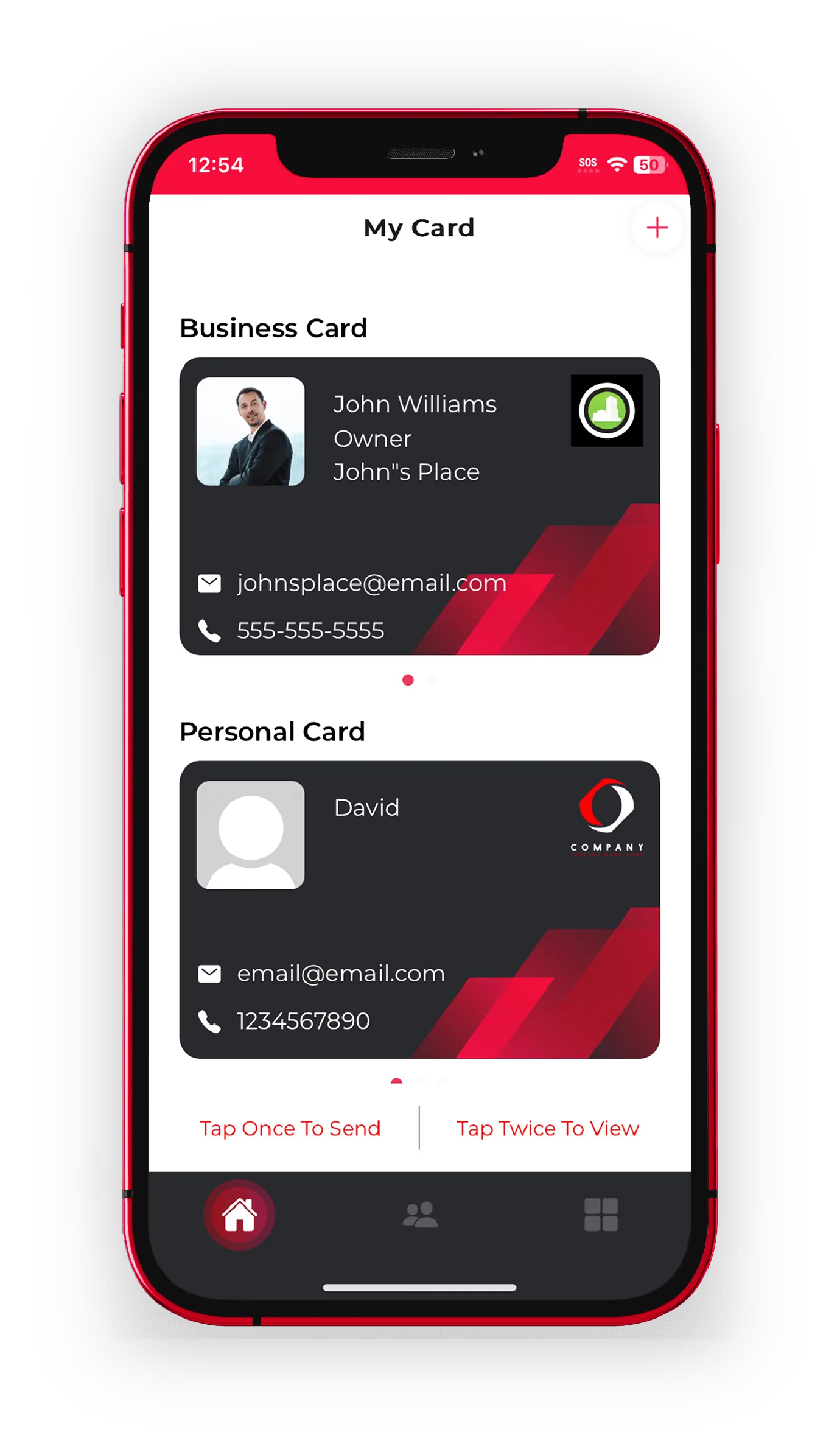
Designing a custom digital business card in the eBiz app
Tap to shareQR · NFC · link
No app to receiveopens in any browser
HomeHow to Make a Digital Business Card | eBiz

How to make a digital business card, in plain English

A digital business card is your contact details, links, and branding on one shareable page instead of a stack of paper. You build it once in the eBiz app, then hand it over with a tap, a scan, or a text. The person on the other end opens it in their browser and saves your details in a second. Nothing to print, nothing to reorder, and you can edit it the moment something changes.

So what's happening behind the scenes? Your card gets its own link and QR code. When someone opens it, they see a live page with your name, photo, company, and every button you added. Because it loads in a browser, they don't download a thing to receive it. That's the whole trick, and it's why a digital card gets saved far more often than a paper one that ends up in a drawer.

Quick answer: Download the eBiz app, design your card, add your details and links, then share it by QR code, NFC tap, Airdrop, text, or link. The recipient needs no app to view or save it.
FOUR STEPS

Build your card in a few minutes

No design skills required. Here's the full flow from install to your first share.

Download the app

Grab eBiz from the App Store or Google Play, or open the web app in your browser. Create a free account and you're ready to build. That's all it takes to get started on an iPhone or an Android phone.

Design or upload your card

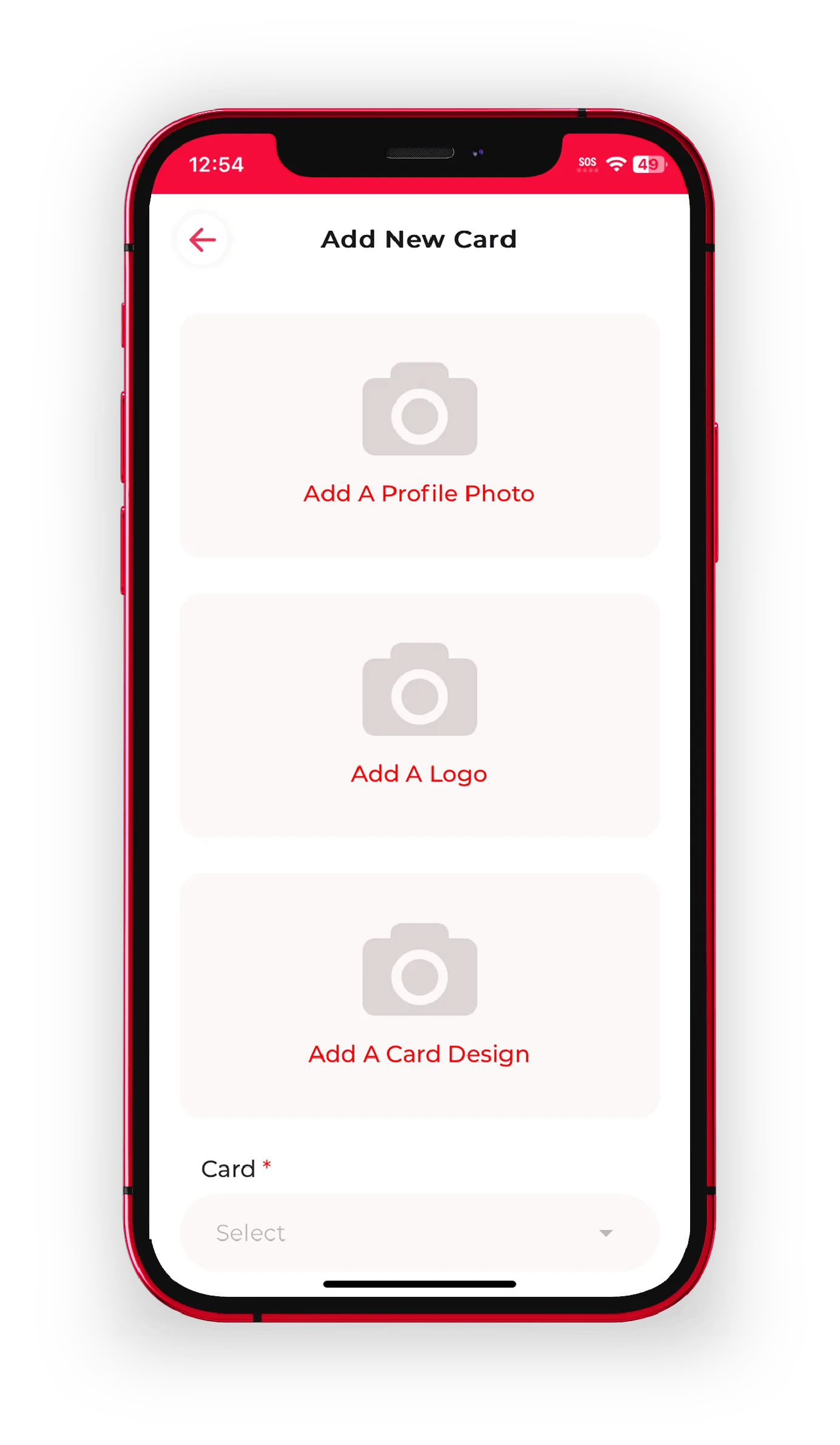
Start from a layout or upload your own artwork so the card matches your brand exactly. Set your colors, drop in your logo, add a profile photo. You control the whole look, not a locked template.

Add details, links, and video

Fill in your name, title, and company, then add the buttons that matter: website, socials, a booking link, a payment link, even a short video. Custom fields and widgets let you shape the card around how you actually work.

Share it and capture contacts

Show your QR code, tap an NFC card, Airdrop it, or text the link. Turn on contact capture so new connections send their details back to you, and every card lands in one place.

WHAT GOES ON THE CARD

More than a name and a phone number

Paper can hold a logo. Your eBiz card holds everything a first impression should carry.

Fully custom design

Upload your own card art or style it in the app. Colors, logo, cover, and profile photo are all yours to set, so the card looks like your brand, not a stencil.

Photos and video

Add a reel of your work, a product clip, or a quick intro video. Show people what you do instead of just listing it in text.

Links and widgets

Booking, payments, socials, your website, and custom fields all live as buttons on the card. Send people straight to the action you want them to take.

eBiz digital business card app opening screen
STEP ONE

Start free on iPhone or Android

There's no paywall to build your first card. Install, sign in, and you're designing in under a minute.

  • Native iOS and Android apps, plus a full web app
  • Keep a business card and a separate personal card
  • Everything syncs, so edits show up instantly everywhere
  • See what's included on the pricing page
Customizing a digital business card design in the eBiz app
STEP TWO

Make it look like your brand

Upload your own artwork or style it in the app. This is a fully custom card, not a template you're stuck inside.

  • Upload your own design or start from a layout
  • Add your logo, colors, profile photo, and cover
  • Drop in photos and video to show your work, not just tell it
  • Explore every option on the custom design page
STEP THREE

Share it whatever the moment allows

Every card carries its own QR code and link, so you're never caught without a way to hand it over.

  • Show your QR code for anyone to scan on the spot
  • Tap an NFC card to a phone to open your card
  • Send it by Airdrop, text, email, or a plain link
  • The recipient views and saves it with no app to install
1-tapto share your card
0 appsfor the recipient
3 waysiOS, Android, web
100%custom design
DIGITAL VS PAPER

Why a digital card wins the exchange

Same first impression, far more range, and it never runs out.

Capability
Paper cards
eBiz Smart Cards
Add live links, booking, and payments
Show photos and video
Update details after you hand it out
Capture the other person's contact back
Share by QR, NFC, Airdrop, or text
Never runs out or needs reordering
Works without the recipient installing anything

How sharing works when the other person has no app

This is the part people ask about most. When you share your eBiz card, it opens as a web page in the recipient's browser. QR codes, NFC taps, and links all point to that page, so anyone with a phone can view it and save your contact details. No sign-up, no download, nothing to create on their end. That low friction is exactly why digital cards get saved more often than paper ones.

You get the full toolkit on your side. Build multiple cards, add custom widgets, capture new contacts automatically, and reuse the same card across your QR code, your NFC cards, and your email signature. When you want to go bigger, Digital Billboards give your brand a larger branded canvas. And when you want to see everything side by side, the features page lays it all out.

Ready to build yours? Download eBiz and you can have a working, shareable card before your coffee gets cold.

FAQ

Frequently asked questions

How do I make a digital business card for free?

Download the eBiz app on iPhone or Android, or open the web app, and create an account at no cost. You can design your card, add your links, and start sharing right away. Paid plans with extra features live inside the app.

How do digital business cards work?

Your card lives on its own web page with a unique link and QR code. When you share it, the recipient opens that page in their browser, views your details, and saves your contact. Because it's a web page, they never need to install an app.

How do I make a digital business card on my iPhone?

Install eBiz from the App Store, sign in, then design your card and add your details, links, and video. From there you can share it by QR code, NFC, Airdrop, text, or link straight from your iPhone.

Does the person I share with need an app?

No. Your card opens in any standard browser, so recipients can view it and save your contact details without downloading anything. You only need the app to build and manage your own cards.

Can I change my card after I share it?

Yes. Update your title, links, photo, or anything else in the app and the changes appear instantly, even on cards you already handed out. You never have to reprint or resend.

How do I share my card without a QR code?

Tap an NFC card to a phone, use Airdrop, or send your card link by text or email. QR codes are handy in person, and NFC opens your card with a single tap when you carry physical cards.

Ready to make your card?

Create your digital business card with video, photos and a fully custom design — free to start, and never hand out a paper card again.

Download on theApp Store Get it onGoogle Play