BEYOND THE CARD

Digital billboards: your brand on a bigger canvas

Your digital card introduces you. A digital billboard gives your brand, offer, or event room to breathe. Build one in eBiz Smart Cards and share it the same easy way you share your card.

Free to startiOS, Android & webNo app to receive
An eBiz digital billboard displaying a brand
Tap to shareQR · NFC · link
No app to receiveopens in any browser
HomeDigital Billboards for Business | eBiz Smart Cards
Quick answer: Digital billboards in eBiz Smart Cards are bigger, fully branded displays you build in the app to feature a promotion, launch, or event, then share by QR, NFC, or link.

What digital billboards actually are

Picture your digital card as the handshake and your billboard as the storefront window. The card is compact and personal. The billboard is a wider canvas, built to hold a headline, an offer, or an event that deserves more than a single tap.

You build it in eBiz the same way you build a card. Add your logo, colors, photos, and video. Drop in the links, booking button, or payment widget that matters for this moment. Then share it however you like. Anyone who opens it sees it in their browser, so there is nothing to download and no account to set up.
A bigger, bolder display

One canvas for your brand and your offer

When a single card feels too small for what you want to say, a billboard gives the message room to land.

  • Lead with a headline, a hero image, or a short video
  • Point people at one clear action: book, buy, register, or follow
  • Keep every pixel on-brand with your logo, colors, and fonts
  • Edit it in seconds when the promo or the date changes
WHEN TO USE ONE

Made for the moments a card can't hold

Reach for a billboard whenever you have something specific to promote.

Promotions & offers

Running a seasonal deal or a limited-time discount? Put it front and center with a big visual and one button that sends people straight to checkout or booking.

Events

Announce a workshop, open house, or launch party. Add the date, a map link, and a register button. Handy for anyone working events and trade shows.

Product & brand launches

New product, new location, new service? Give it a dedicated page with photos and video so the story lands the first time someone sees it.

HOW IT WORKS

Build it and share it in three steps

Design your canvas

Open eBiz, start a billboard, and add your logo, images, video, and copy. The same custom design tools you use for cards work here too.

Add your call to action

Attach the widgets that fit: a booking link, a buy button, socials, or a form. Aim everyone at the one action you want them to take.

Share it anywhere

Send it by QR code, NFC tap, text, or link. Print the QR on a flyer or a window. Viewers open it in their browser, no app required.

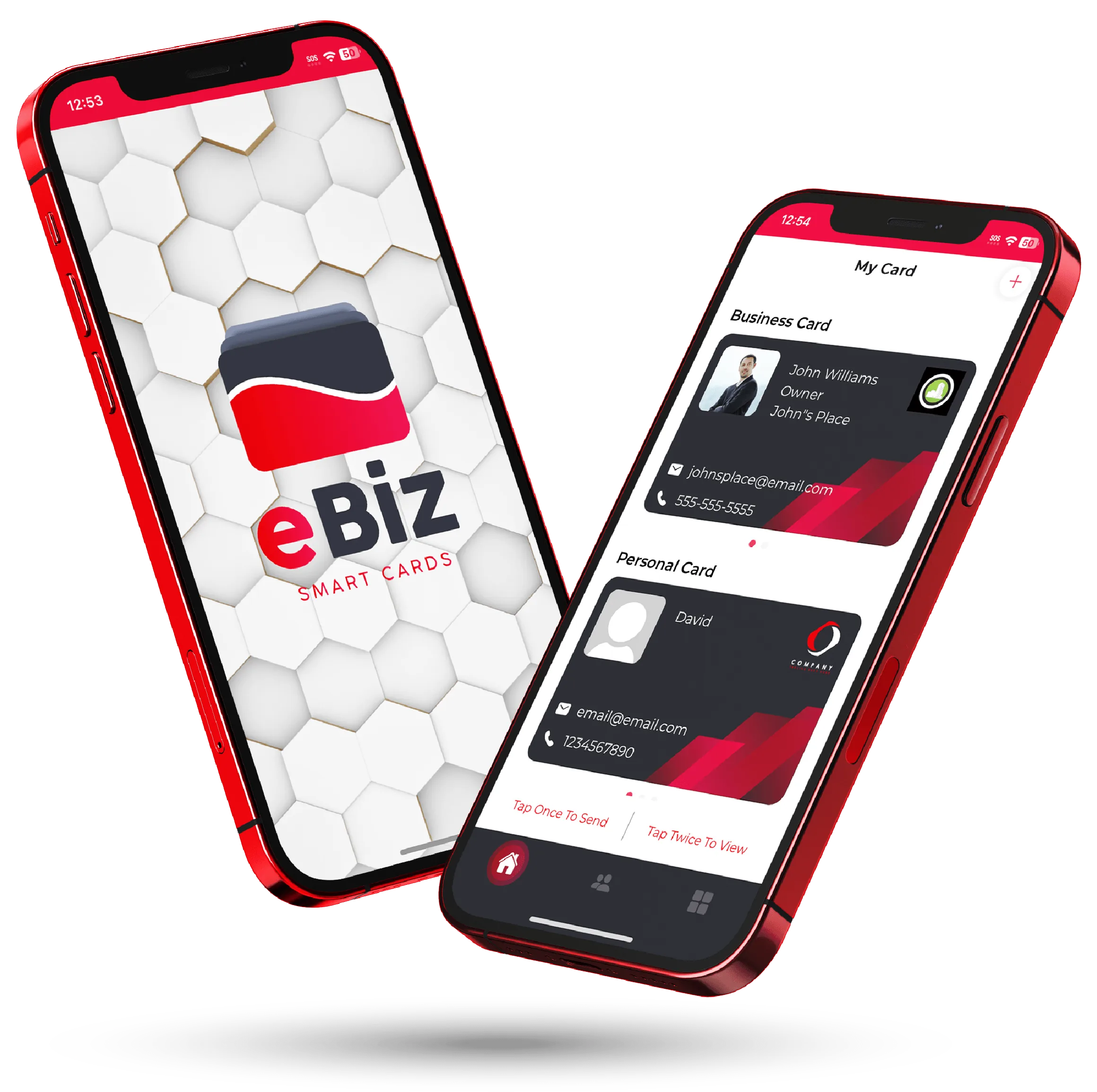
Two phones showing an eBiz digital card and a digital billboard
Card + billboard

They work better together

Your card and your billboard are two tools for two jobs, and they share the same simple sharing.

  • Use your card for one-to-one intros and everyday networking
  • Use a billboard when one message needs to reach a lot of people
  • Link from your card to your billboard so a tap opens your latest campaign
  • Everything lives in one app across iOS, Android, and the web

See everything eBiz can do or download the app to build your first billboard.

1-tapshare by QR, NFC, or link
0 appsfor your audience to view
100%your brand and design
3 waysiOS, Android, and web
FAQ

Frequently asked questions

What is a digital billboard in eBiz Smart Cards?

It's a larger, fully branded display you build in the app to feature a promotion, event, or launch. It gives your brand more room than a business card and shares the same easy way.

How is a digital billboard different from a digital business card?

A card is a compact personal intro for one-to-one networking. A billboard is a bigger canvas built to broadcast one message, offer, or event to many people at once.

Do people need an app to view my digital billboard?

No. You share it by QR code, NFC tap, text, or link, and anyone who opens it views it in their browser. There is nothing for them to download.

What can I put on a digital billboard for business?

Add your logo, colors, photos, and video, plus widgets like booking links, buy buttons, socials, and forms. Lead with one clear headline and one call to action.

Can I update my billboard after I share it?

Yes. Edit the content anytime, so when a promotion ends or an event date changes, the same link shows your latest version.

Ready to make your card?

Create your digital business card with video, photos and a fully custom design — free to start, and never hand out a paper card again.

Download on theApp Store Get it onGoogle Play